The Best Online Accounting Systems for Small Business in 2026
Online accounting systems for small business are cloud-based software tools that automate bookkeeping, track income and expenses, generate financial reports, and keep your books organized — without requiring an accounting degree.
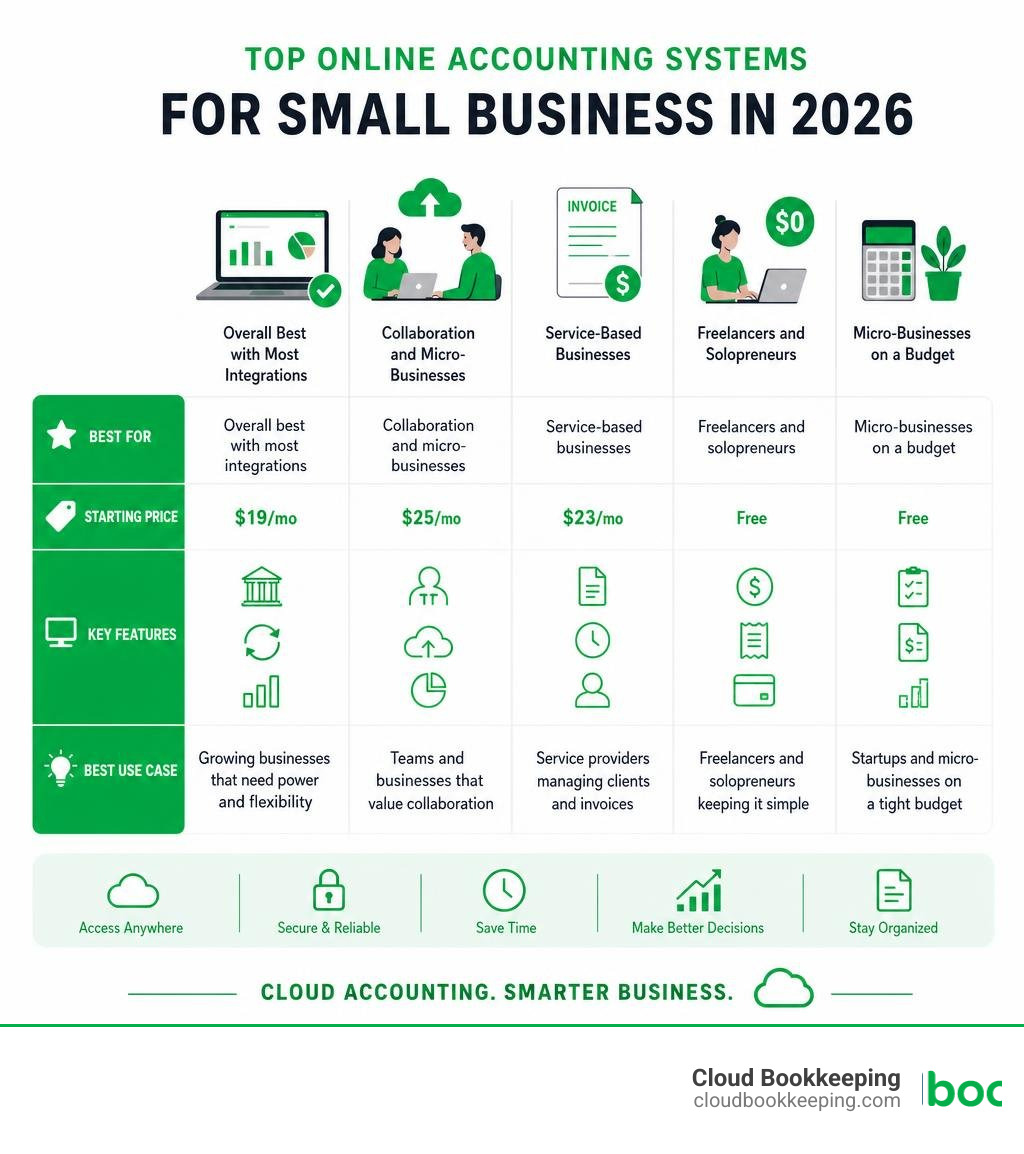
Here are the top options to consider in 2026:
| Software | Best For | Starting Price |
|---|---|---|
| QuickBooks Online | Overall best, most integrations | $19/mo |
| Xero | Collaboration and micro-businesses | $25/mo |
| FreshBooks | Service-based businesses | $23/mo |
| Wave | Freelancers and solopreneurs | Free |
| Zoho Books | Micro-businesses on a budget | Free |
If you’re overwhelmed by disorganized books and cash flow surprises, you’re not alone. Most small business owners didn’t start their company to spend hours reconciling transactions or scrambling at tax time. Yet that’s exactly where many end up — buried in spreadsheets, unsure if their numbers are even accurate.
The good news? The right cloud accounting software can fix most of that automatically.
I’m Charlie Perrin, founder of Cloud Bookkeeping, and with over 24 years of experience helping small business owners get control of their finances using online accounting systems for small business, I’ve seen which tools actually work — and which ones just add more confusion. In the sections below, I’ll walk you through exactly what to look for and which platform fits your situation.
Understanding Online Accounting Systems for Small Business
Historically, managing business books meant installing heavy software on a single desktop computer in a back office. If that computer crashed, or if you needed to check your numbers while away from your desk, you were out of luck.
Modern online accounting systems for small business operate on a cloud-based Software-as-a-Service (SaaS) model. Instead of buying a physical disc or downloading a massive program, you log in securely through any web browser or mobile app. Your financial data is securely stored on remote, high-security servers rather than your local hard drive.
This shift from desktop to cloud brings several game-changing advantages:
- Automated Bank Feeds: Your software connects directly to your business bank accounts and credit cards. It pulls in transactions automatically every day, eliminating manual data entry.
- Real-Time Financial Data: You do not have to wait until the end of the month to see your financial health. You can view your profit and loss statements, balance sheets, and cash flow instantly.
- Multi-Device Access: Whether you are on your phone at a local coffee shop in San Antonio or review reports on your tablet at home, your books are always up to date and accessible.
By streamlining these daily tasks, business owners can step away from administrative quicksand and focus on growth. To understand how these platforms fit into your overall business strategy, you can read more about how accounting software supports small businesses.
Key Features to Look For in Cloud Accounting Packages
Before you sign up for any software trial, it helps to know what features are non-negotiable for a growing business.

When evaluating different options, keep these core functions in mind:
- Invoicing and Payment Processing: Your system should allow you to create professional invoices in seconds and email them directly to clients. Look for systems that integrate with credit card and bank transfer (ACH) processors so customers can pay you with a single click.
- Expense Tracking: Managing receipts shouldn’t involve a shoebox. A great platform lets you snap photos of receipts via a mobile app and automatically matches them to bank transactions.
- Double-Entry Accounting: Even if you do not have an accounting background, your software must use double-entry bookkeeping behind the scenes. This is the gold standard that ensures your debit and credit balances match, keeping your books accurate for tax season and bank audits.
- Bank Reconciliation: This is the process of matching your internal software records against your actual bank statements. The right software makes this as simple as clicking “approve” on matched transactions.
If your business has specialized needs—such as real estate—you will want to look for platforms that accommodate those workflows. For instance, our guide to property management bookkeeping features shows how specific industries require tailored tools. For general standards, you can also compare small business accounting software options directly.
Comparing the Top Online Accounting Systems for Small Business
Choosing the right platform depends on your business size, budget, and plans for growth. Let’s break down how the industry leaders stack up.
QuickBooks Online: The Market Leader in Online Accounting Systems for Small Business
Holding an impressive 63% of the small business accounting software market share, QuickBooks Online is the undisputed giant of the industry. It is highly scalable, making it an excellent choice for businesses that plan to grow from solopreneurs into larger operations.
One of QuickBooks’ greatest strengths is its embrace of modern technology. In fact, 78% of customers say Intuit AI makes it easier for them to run their business by automatically categorizing transactions, identifying potential tax deductions, and flagging anomalies.
QuickBooks Online offers several tiers:
- Simple Start ($19/mo): Perfect for new businesses needing basic income/expense tracking and invoicing.
- Essentials ($37.50/mo): Adds multi-user support and bill management.
- Plus ($57.50/mo): Includes inventory tracking and project profitability tools.
- Advanced ($137.50/mo): Designed for larger operations needing custom roles and deep analytics.
If you have a growing group, choosing a scalable platform is critical. Learn more about choosing accounting software for a small team.
Xero: Collaborative Online Accounting Systems for Small Business
Xero is a powerhouse platform with about 4.6 million subscribers worldwide. It is highly regarded for its clean interface and strong emphasis on collaboration.
A notable 88% of customers agree Xero is easy to use. The platform is designed so that business owners and their external bookkeepers or accountants can log in simultaneously and view the exact same set of books in real time.
Xero’s plans include:
- Early ($25/mo): Best for micro-businesses, though it limits the number of invoices you can send.
- Growing ($55/mo): Removes transaction limits and is ideal for most active small businesses.
- Established ($90/mo): Adds advanced features like multi-currency support and expense tracking.
Xero also integrates seamlessly with Gusto for full-service payroll, making it a favorite for businesses with employees. To see how Xero and similar platforms fit into your overall tech stack, visit our software recommendations.
Wave and FreshBooks: Specialized Solutions for Micro-Businesses
If you are a freelancer, contractor, or run a very lean startup, you might not need the heavy-duty features of QuickBooks or Xero. This is where Wave and FreshBooks shine.
Wave is trusted by over 2 million small business owners. Its biggest drawcard is its free Starter plan, which offers unlimited invoicing, expense tracking, and bank connections without a monthly fee. Wave generates revenue through optional add-ons like credit card processing and payroll. It is incredibly user-friendly and perfect for keeping your business and personal expenses separated.
FreshBooks, which boasts over 30 million users, began as an invoicing tool for creative professionals and has evolved into a full-fledged accounting system. It excels at time-tracking, project management, and sending elegant, customizable estimates. If your business bills clients by the hour or by the project, FreshBooks is hard to beat.
For brand-new startups looking to keep overhead low while staying organized, see how bookkeeping software can simplify startup operations.
How to Transition and Migrate Your Financial Data
Many business owners delay upgrading to a modern system because they dread the data migration process. They worry about losing years of financial history or messing up their current year’s numbers.
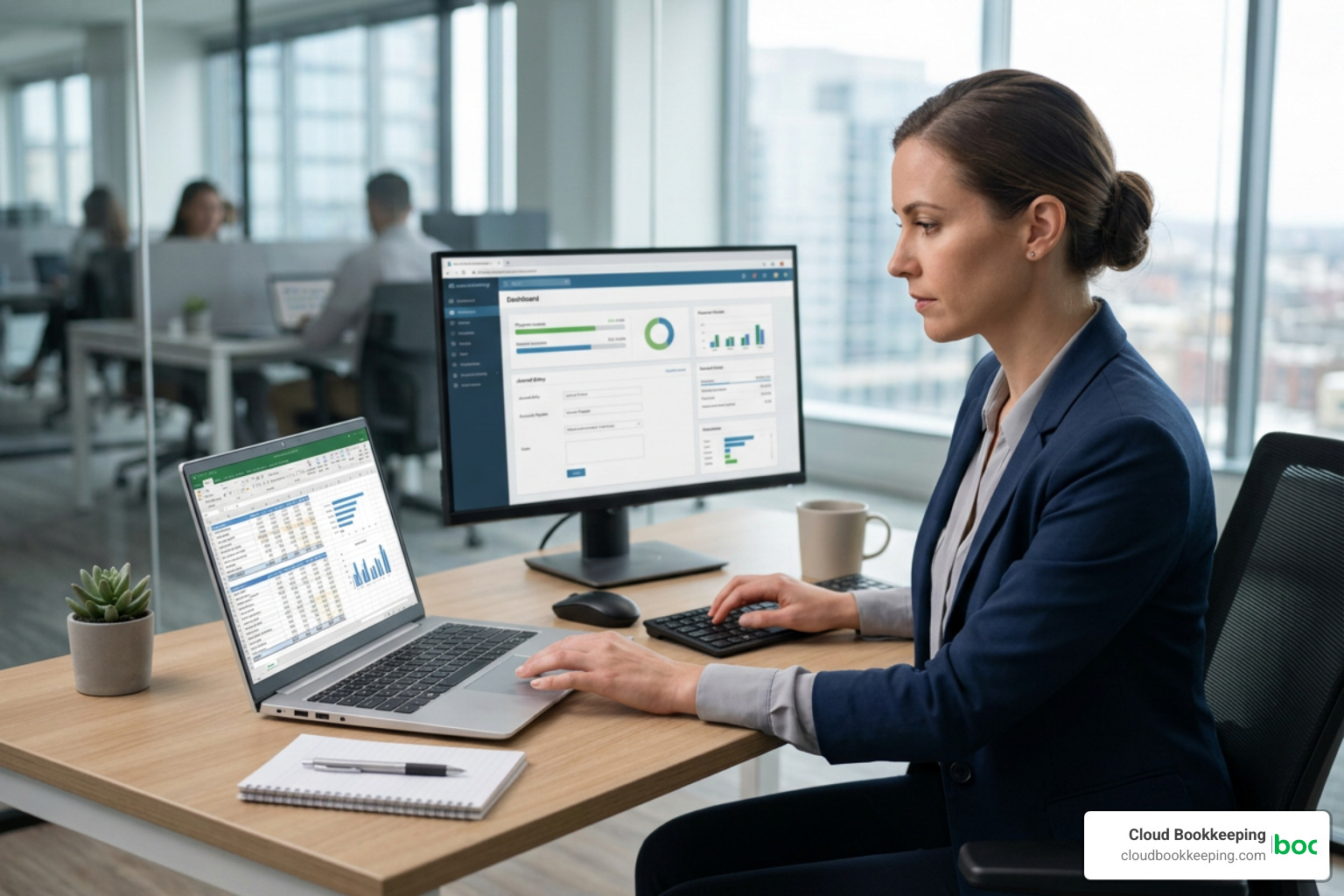
Fortunately, migrating from spreadsheets or old desktop software is much simpler today. Most modern platforms offer step-by-step import wizards. You can export your chart of accounts, customer lists, vendor details, and open invoices into standard CSV or Excel files, then upload them directly into your new system.
Security is also a top priority during this transition. Reputable cloud platforms utilize the same security measures as major financial institutions:
- 256-bit SSL Encryption: This protects your data as it travels between your computer and the cloud.
- PCI-DSS Level 1 Compliance: This ensures that any payment processing handled within the software meets the highest global security standards.
- Read-Only Bank Feeds: When you connect your bank accounts, the software can only read the transaction data; it cannot move or withdraw your money.
For businesses operating locally in San Antonio, Texas, maintaining precise records in your cloud system is also vital for local tax compliance. For example, when filing your annual Business Personal Property (BPP) renditions with the Bexar Appraisal District, having a clean, exportable list of your business assets makes the process simple.
Additionally, we often help clients analyze whether keeping their books in-house or outsourcing is more cost-effective. According to local financial data, outsourcing back-office tasks can save San Antonio businesses significantly compared to hiring full-time internal staff, allowing owners to reinvest that time and money back into growing their operations.
For a deeper dive into making this transition smoothly, read our guide to choosing a web-based accounting system.
Frequently Asked Questions about Small Business Accounting
Can I use Excel instead of dedicated accounting software?
While you technically can use Excel or Google Sheets for basic bookkeeping, it is highly inefficient for a growing business. Spreadsheets require manual data entry, which dramatically increases the risk of calculation errors. They also cannot connect directly to your bank, automate invoice reminders, or generate instant financial reports. Upgrading to dedicated software saves hours of administrative work every week.
How does online accounting software simplify tax preparation?
Cloud software categorizes your expenses automatically throughout the year, meaning you won’t have to scramble to organize receipts every spring. Many platforms generate tax-ready reports (like Schedule C worksheets or Profit & Loss statements) with a single click. Furthermore, you can grant your accountant secure, direct access to your software so they can retrieve the necessary forms without you having to print or email sensitive financial documents.
Do I still need an accountant if I use cloud software?
Yes. While software is fantastic for automating daily bookkeeping tasks and organizing your data, it cannot replace the strategic advice of a professional. An accountant or professional bookkeeping service helps you interpret your reports, plan for tax liabilities, maximize deductions, and ensure your system is set up correctly in the first place. Think of the software as a high-performance car — you still need an experienced driver to navigate the road safely.
Conclusion
Choosing from the top online accounting systems for small business is one of the most impactful decisions you can make for your company’s financial health. By moving your books to the cloud, you gain real-time visibility into your cash flow, automate tedious administrative tasks, and set your business up for sustainable growth.
However, even the best software is only as good as the data entered into it. If you find yourself spending too much time managing your software, or if you want to ensure your books are 100% accurate and tax-ready, we are here to help.
At Cloud Bookkeeping, led by Charlie Perrin right here in San Antonio, Texas, we combine QuickBooks expertise, professional bookkeeping services, and clear financial reporting with unparalleled customer service. Let us handle the numbers so you can focus on running your business.
Ready to simplify your financial management? Explore our small business accounting services and let’s get your books on track.